
Manage Workflow History in InsightsLite
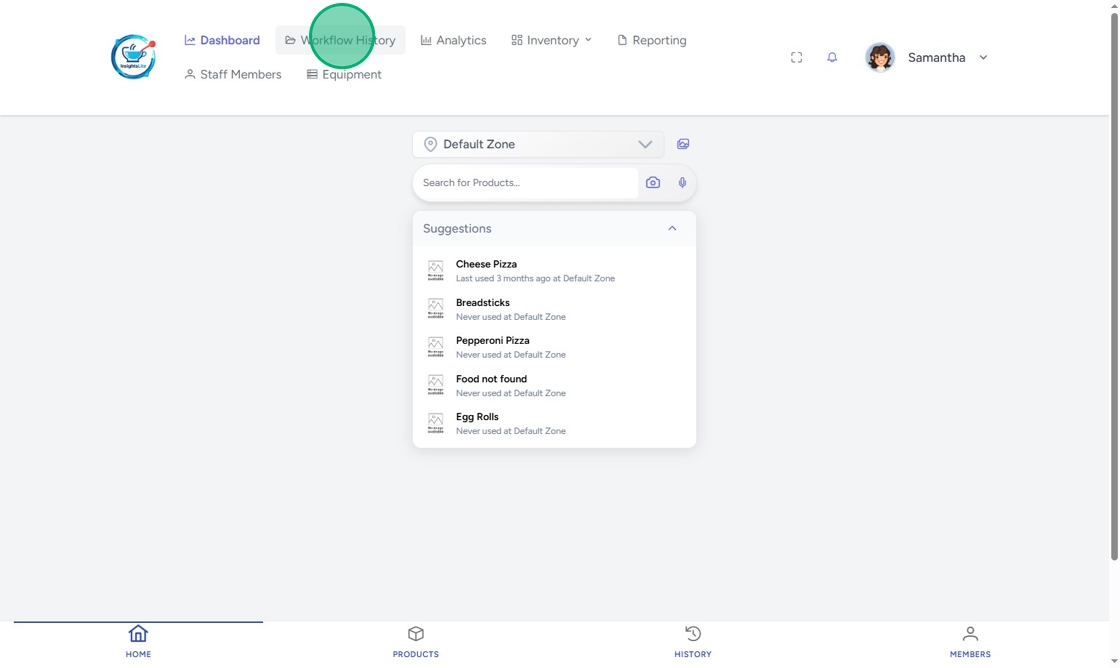
Workflow history in InsightsLite shows all recorded made and wasted products.
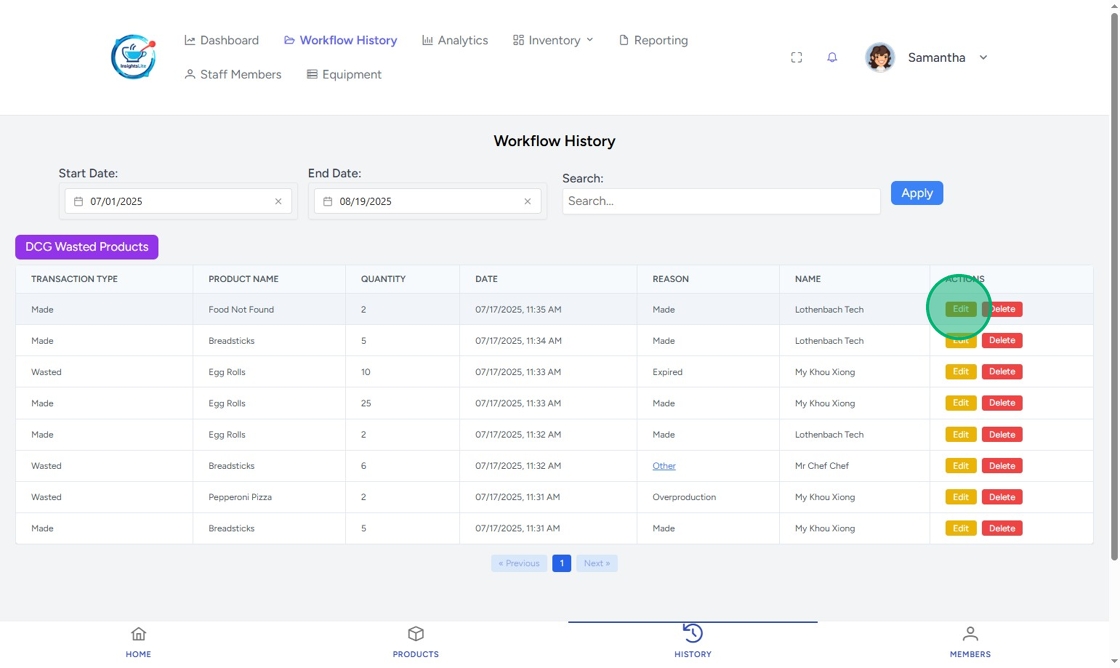
If there is a mistake, you can edit or delete the record.
Steps:
1. Click Workflow History.
2. Enter the date range and click Apply.

3. Look for the record that needs editing, then click Edit.
4. Change the Transaction Type between made and wasted, if needed.

5. Type the correct Quantity.

6. Click Update.

7. To delete a transaction, click Delete.


