NL Dutch
FR French
IT Italian
DE German
US English (US)
ES Spanish
menu

Contact Us

No results found. Still need help? Contact us

  • Scheduled Assistance
  • Contact Us
English (US)
NL Dutch
FR French
IT Italian
DE German
US English (US)
ES Spanish
arrow_back
  • DateCodeGenie
  • RightBytes
  • Task Manager
  • Scheduled Assistance
  • Contact Us

Export Made and Waste Reports in InsightsLite

Contact Us

If you still have questions or prefer to get help directly from an agent, please submit a request.
We’ll get back to you as soon as possible.

  • EatSuite
  • InsightsAI
    Getting Started with InsightsAI Reports InsightsAI Equipment
  • InsightsLite
    Execution Catalog Management Reports InsightsLite V2
  • StockSmart
    Orders Inventory Stock Management Reporting Quick Actions StockSmart Printing
  • WasteTracking
  • Equipment
    LoRaWAN Gateway LoRaWAN Traffic Counter Foorir Traffic Counters Order Hub
+ More
  • Home
  • RightBytes
  • InsightsLite
  • Reports

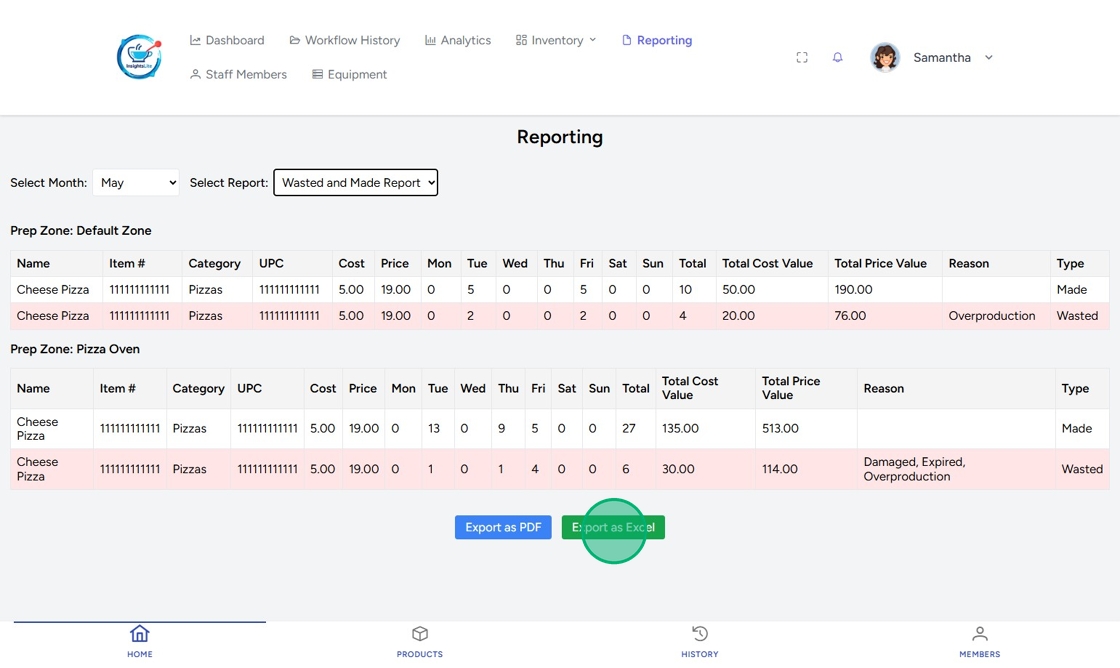
Generate monthly made and waste reports in InsightsLite to export as a PDF or an Excel file.

Steps:

1. Go to https://insightslite.rightbytes.com/login and log in.

2. Click Reporting.

3. Select Month from the dropdown.
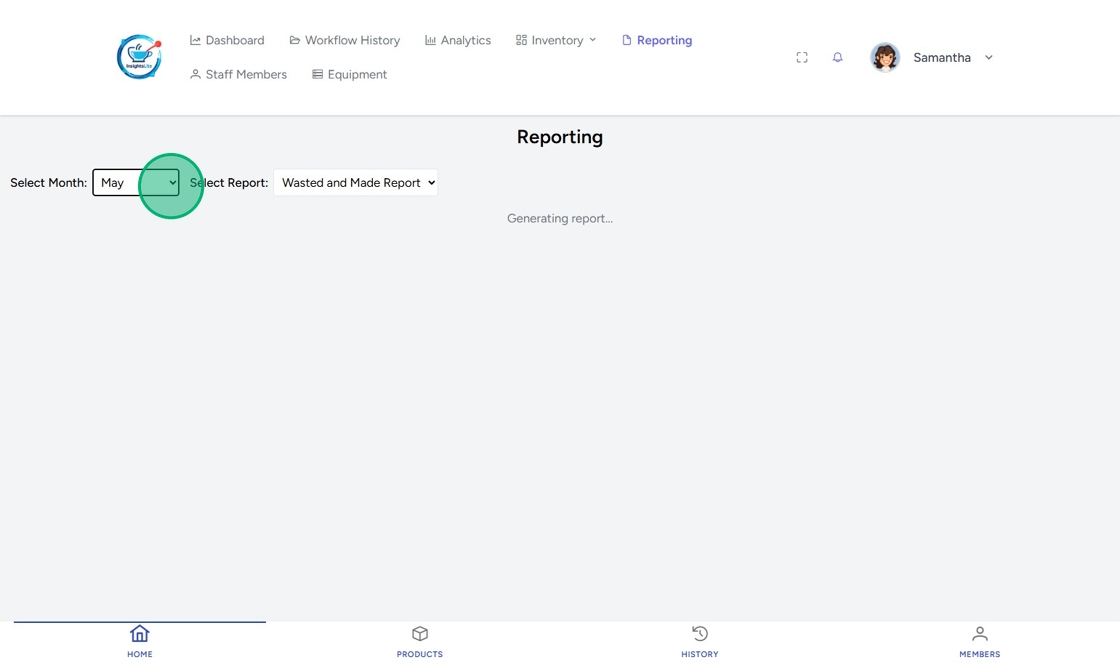
4. Select Report type from the dropdown.

5. Click Export as PDF or Export as Excel.
Related Articles

  • Switch Venues in the Task Manager Mobile App
  • Print a Menu Item on the App
  • Add a Logo
  • Duplicate Menu Items
  • Add Favorite Forms in Task Manager

Was this article helpful?

Yes
No
Give feedback about this article For additional assistance, see Contact & Support

Related Articles

  • Switch Venues in the Task Manager Mobile App
  • Print a Menu Item on the App
  • Add a Logo
  • Duplicate Menu Items
  • Add Favorite Forms in Task Manager
© 2026 DateCodeGenie

899 Montreal Circle, St. Paul, MN 55102

Privacy Policy

Learn more about our product
contact us
About NCCO

Knowledge Base Software powered by Helpjuice

Expand
